GDPR Cookie Compliance: A Guide for Irish Websites
Find out when an Irish website needs a cookie banner, what counts as valid consent, and how to fix a banner that fails the standard.
/8 min read
In Ireland, a website needs consent before it stores information on, or reads information from, a visitor's device — a cookie, a pixel or any similar tracker — unless that storage is strictly necessary to provide a service the visitor has requested, or is used only to transmit a communication. The Data Protection Commission states that targeted advertising and conversion-tracking cookies fall outside that exemption, so a site using advertising, visitor statistics or most embedded third-party tools needs a banner and a real choice. A site whose only cookies sit inside the exempt category can run without one.
When an Irish website needs cookie consent
Regulation 5(3) of Ireland's ePrivacy Regulations requires consent together with clear and comprehensive information before information is stored on or read from a user's device, and Regulation 5(5) exempts only the transmission of a communication and storage strictly necessary to provide a service the user has requested, as the Data Protection Commission's cookies sweep report sets out. The Commission's answers on cookies for websites and apps make the same point plainly: consent is needed unless a cookie is strictly necessary for a user-requested service or is used solely to transmit a communication, and targeted advertising and conversion tracking are not covered by the exemption.
In practice, that splits sites into two groups. A site whose cookies all fall inside Regulation 5(5) needs no banner. A site that sets anything else — visitor statistics, advertising pixels, or an embedded tool that tracks a visit — needs a banner and a genuine choice before those cookies are set.
Most small sites land in the second group by accident. A theme update, a booking add-on or a plugin can start setting trackers on every page load without the owner noticing, and no banner can fix a script that fires before the visitor has acted. Auditing which scripts actually run on a page is ordinary website maintenance work, and it is the first job on the list: check what loads on arrival, then decide whether a banner is needed at all.
The Irish rules that sit behind a cookie banner
Ireland's ePrivacy Regulations, S.I. No. 336 of 2011, apply alongside the GDPR and the Data Protection Act 2018 to cookies and similar technologies, as the Commission's guidance on cookies and similar technologies sets out. The Data Protection Act 2018 is the Irish national law that gives further effect to the GDPR in Ireland, according to the Commission's overview of data protection legislation.
The two layers do different jobs. The ePrivacy Regulations decide whether a cookie may be stored or read on a device and whether consent is needed for it. The GDPR governs the quality of that consent and how any personal data collected through cookies is handled afterwards.
What valid consent looks like
Under the GDPR, the Commission's guidance on cookies and other tracking technologies is specific: consent must be a clear, affirmative act that is freely given, specific, informed and unambiguous, and users must receive clear and comprehensive information about the technology used and the purpose of the data use.
For a banner on a small Irish site, that translates into a short list of practical requirements:
The visitor does something positive before any non-essential cookie is set, because the standard looks for a clear, affirmative act from the visitor.
The permission is specific, so a visitor can agree to statistics without agreeing to advertising, and the two are not bundled into one button.
The notice is informative: it names the technology and the purpose in ordinary language rather than repeating the word "cookies".
The choice can be revisited. A permanent link that reopens the settings panel lets a visitor vary or withdraw a decision later, which keeps the permission specific rather than freezing one click made a year ago.
A simple checklist for sorting your cookies
Most of the confusion disappears once every cookie is put into one of four buckets. The bucket decides whether a banner is needed.
Category
Typical job on a small Irish site
Consent needed?
Strictly necessary / transmission only
used solely to transmit a communication, or storage strictly necessary to provide a service the visitor has requested
No — Regulation 5(5) exemption
Analytics and statistics
counting visits and seeing which pages are read
Yes
Marketing and advertising
retargeting, conversion tracking and social media pixels
Yes — the Commission states these are not exempt
Third-party embeds
mapping tools, chat widgets, booking calendars, video players and social feeds loaded from another provider
Usually yes, because the embed sets its own cookies; a click-to-load placeholder keeps it dormant until the visitor opts in
One habit keeps the checklist honest: test with a fresh browser profile, so old cookies do not disguise what actually loads on a first visit.
Where a site has grown past a handful of pages, consent-aware templates, forms and embeds are usually part of a wider build rather than a one-off patch — which is where web and app development work such as click-to-load components and preference panels comes in.
How to word a banner and lay out the buttons
Wording carries most of the weight, because the notice has to be comprehensive and the consent informed. A workable pattern for a small site is:
This site uses cookies to keep it working and, with your agreement, to measure how pages are used. Choose accept all, reject all, or set your own preferences. You can change your choice at any time from the Cookie settings link in the footer. The cookie notice explains what each cookie does.
Layout principles follow from the consent standard rather than from taste:
Accept all and Reject all both sit on the first layer, in the same size and with similar contrast, so the choice is genuinely open.
A preferences panel lists categories separately, with a toggle and one short sentence per category, so the permission can be specific.
Non-essential toggles start switched off, and continued browsing is not treated as agreement, because the standard looks for a positive act by the visitor.
A Cookie settings link stays in the footer, so a decision can be varied or withdrawn long after the banner first appeared.
Non-essential scripts wait until the matching category is allowed; the banner controls the scripts rather than merely recording a click.
Fixing a non-compliant banner: a plain-language checklist
Most non-compliant banners fail in the same handful of ways. Working through this list usually closes the gap without legal advice:
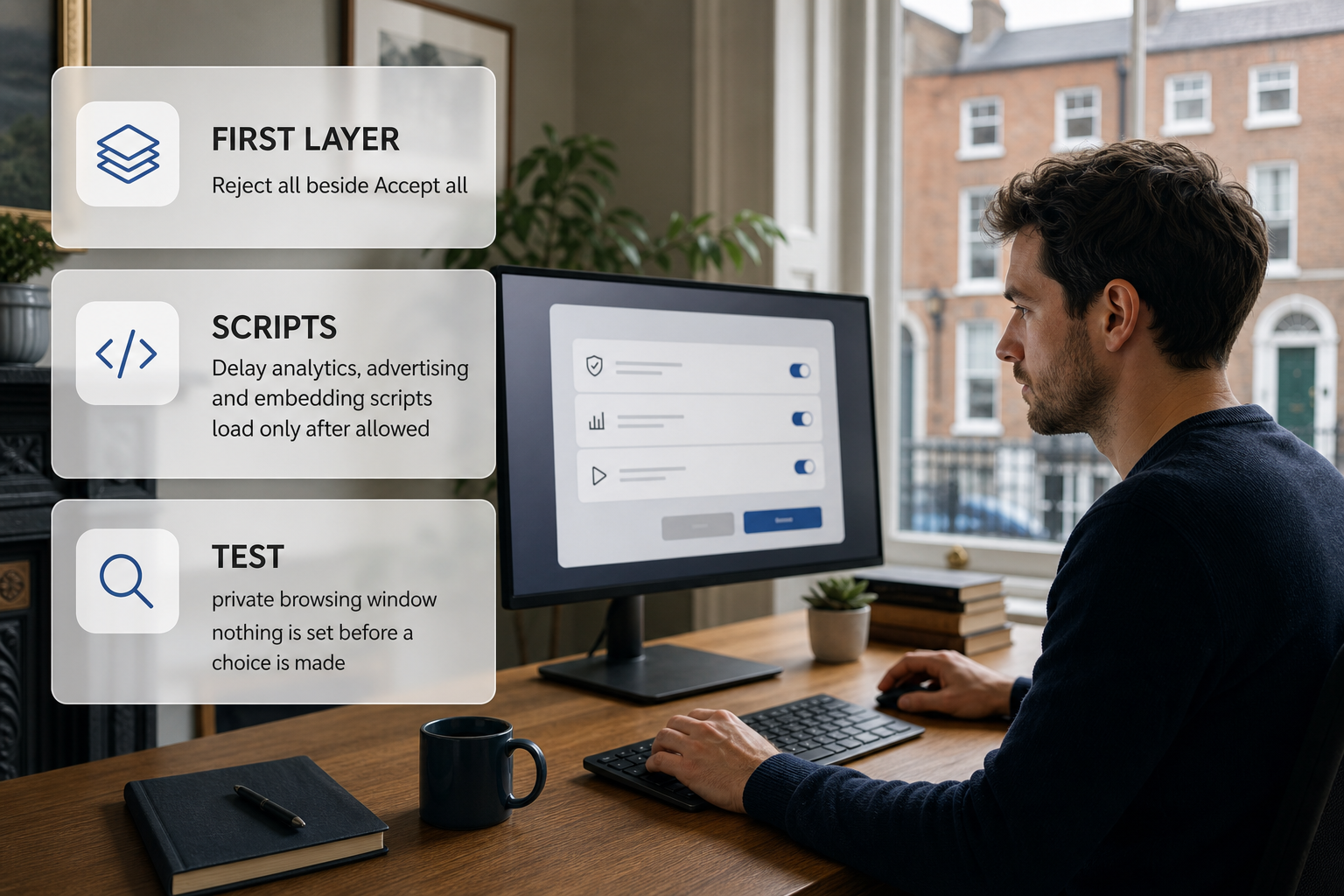
Put Reject all on the first layer beside Accept all, rather than hiding it behind a settings link.
Delay analytics, advertising and embedding scripts so they load only after the relevant category is allowed.
Turn every non-essential toggle off by default and stop treating continued browsing as consent.
Rewrite the text so it names the categories and purposes in ordinary language.
Add a permanent Cookie settings link in the footer that lets a visitor change or withdraw a choice.
Convert maps, chat widgets and booking tools to click-to-load placeholders so nothing is stored until the visitor asks for them.
Test in a private browsing window with developer tools open: check that nothing is set before a choice is made and that nothing reappears after everything is rejected.
Re-test after any theme, plugin or platform update, and after adding a new tool, because a changed script is the usual reason a banner that once worked quietly stops working.
Getting the fix done
A compliant setup is usually a short piece of work: an audit of what loads, a preferences panel, and a re-test. Homeowners and small business owners who would rather hand it over can post the job on ShamFix, where posting a job and listing is free and there is no commission, and a subscription is planned for the future. ShamFix does not check or certify tradespeople, profiles are filled in by tradespeople themselves, so homeowners should check registrations themselves and read reviews before agreeing to any work.
FAQ
Does a five-page local business site need a cookie banner?
Only if it sets cookies outside the exempt category. The quick test is to open the site in a private window with browser developer tools on, then watch the cookie and network lists as the first page loads. If nothing appears until the visitor asks for something, a banner is not doing any work, and a brochure site with no measurement tools, no embeds and no advertising rarely needs one.
Can analytics run without a banner because the business has a legitimate interest?
The cookie rules look for consent for non-essential cookies, so another legal basis does not remove the need for a choice. A site that genuinely needs visitor numbers is easier to keep compliant with one measurement tool than with three, and easier still when visitors can switch that tool off from the preferences panel. Fewer tools also means fewer scripts to delay.
Do embedded maps, chat widgets and booking tools need consent?
Usually yes, because they load from another provider and set their own storage. The workable pattern is a click-to-load placeholder: a static image with a button saying what will load, so nothing is stored until the visitor asks for the map, the chat window or the booking calendar. It is worth clicking through the booking flow afterwards to confirm the tool still works once the visitor has agreed.
How often should the banner be shown again?
Not on every visit. Ask again when something meaningful changes: a new analytics or advertising tool is added, the cookie notice is rewritten, or the categories on offer change. Between those moments the site should simply honour the choice the visitor already made, while a permanent settings link covers anyone who changes their mind.
What should a site owner hand over when asking for a banner fix?
A short brief is enough: a list of the tools that currently run, which category each one belongs to, and where the settings link will sit. Screenshots of the current banner, taken with the settings panel open, save a lot of back-and-forth. It also helps to say whether the site collects any information at all, because a site that only sets what it strictly needs may not need a banner in the first place.
Work through safe checks — filter, vent, condenser, settings, power and reset — then book appliance repair or, for fixed wiring faults, an electrician.